
AllAccessible for WordPress 2.2.0 and 2.2.1 are on WordPress.org. If your site auto-updates, you already have them. If not, this post is the case for clicking Update today, and a tour of what you will find when you do.
First: update, because approvals now require it
The headline change is not visible. Each WordPress site now holds its own private credential for AllAccessible, issued to that installation and set up automatically on update.
An independent researcher, kta1kri, responsibly reported an issue in how plugin installs were authorized for actions like approving a fix or overriding an image description. We are grateful. The fix is a credential that is unique to each site and revocable for one site without touching any other.
Because that credential is now required, approving, editing, or reverting fixes and image descriptions from inside WordPress requires 2.2.0 or later. A site still on 2.1.x keeps its widget, its scores in the editor, and every read-only view. On the write actions it shows a plain message: update the AllAccessible plugin. Nothing breaks silently.
One health card instead of a strip of numbers
The old overview opened with a row of statistics. The new one opens with a question: is my site OK?
One health card answers it in words. It tells you when the score covers only part of your site, when the last scan is stale, and what the single most useful next action is. Below it, four tiles replace the stat strip: fixes live on your site, items waiting for a person, images with alt text, and pageviews, each with a plain-language status rather than a bare count.
The Agentic Fixes and Image AI pages were rebuilt on the same status-first layout, and on free plans the preview is labeled as a preview.
Scan from where you are
When a scan is due, you run it from the overview and watch progress live. No trip to another page, no refresh to see whether it finished.
When a scan cannot start, the plugin says why: usually a scan is already running, or your plan's scan window has not reopened yet. The dashboard's last-scan and next-scan dates always match the page freshness note.
The Accessibility Statement guide
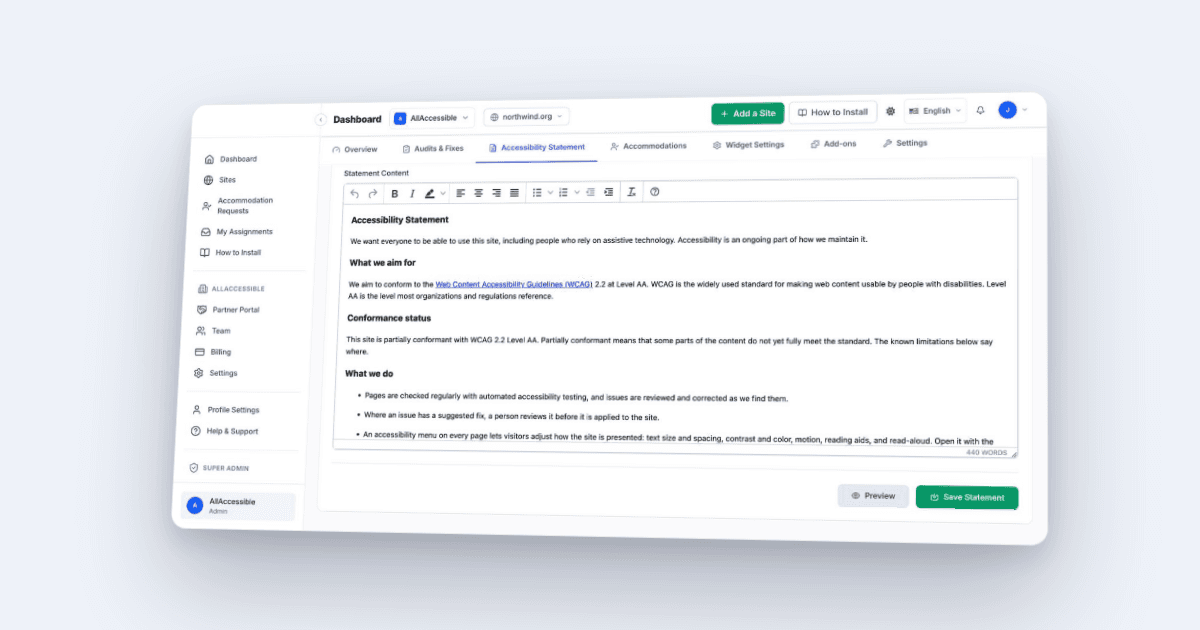
An accessibility statement is a good-faith public disclosure: what you are working toward, what you know is not there yet, and how to reach you if someone hits a barrier. It is one more page to write, and nobody is quite sure what to put on it. The guide does the work:
- Create. From the overview or the setup wizard, create a statement page prefilled with AllAccessible's current default text and your assigned contact block. The default was rewritten this month to follow the W3C statement shape, name WCAG 2.2 Level AA as the target, and claim only what is true on every plan.
- Publish or draft. Your choice. Creating in draft opens the page in the editor so you can edit before anyone sees it.
- Link. The page is linked to your AllAccessible account, and the widget's footer starts pointing visitors to it.
If a statement page already exists, the guide asks whether to use it before creating anything. A reminder appears on AllAccessible pages and your WordPress Dashboard while no page is linked; one click creates it, and Not now hides the reminder for good.
2.2.1, the same week
- What's new, inside the plugin. After an update, a short release-notes dialog walks you through what changed, starting with the statement page. Reopen it any time from the What's new button in the page header.
- Refresh from AllAccessible. When your statement wording changes in the dashboard, one button on the statement card replaces the page text, keeps your contact details, and leaves the previous version in the page's revisions.
- All 17 admin languages complete. The 2.2.0 dashboard text had shipped in English only for non-English administrators. Every string is translated again.
And the smaller things
- Works properly at phone width: headers stack, wide tables scroll, buttons go full width.
- Admin notices from WordPress or other plugins no longer land inside the AllAccessible page header.
- Better contrast on secondary text.
- Links from the plugin into your AllAccessible dashboard open the right site every time.
- Getting Started is a numbered checklist with the next step's action inline.
- From 2.1.8, still worth knowing: the widget keeps working as the free widget if the plugin's account link ever goes stale, never-scanned pages offer Scan this page now in the editor, and the Widget Customizer can hide the widget button on phones.
Compatibility
Tested up to WordPress 7.1.4. Requires PHP 7.4.
Get the plugin on WordPress.org or update from Plugins → Updates. The full release history is on our changelog.
Frequently Asked Questions
- Do I have to update to AllAccessible 2.2?
- If you approve, edit, or revert fixes or image descriptions from inside WordPress, yes. Those actions require plugin 2.2.0 or later because they now use the per-site credential. Sites on 2.1.x keep their widget, scores, and read-only views, and show an update prompt on those actions. Update from Plugins → Updates in wp-admin; the credential is set up automatically.
- What is the per-site credential in plugin 2.2?
- Each WordPress installation now holds its own private credential for AllAccessible, issued to that site when it connects or updates. It is unique per site and can be revoked for one site without affecting any other.
- How does the Accessibility Statement guide work?
- From the plugin's overview or the setup wizard, the guide creates a statement page from AllAccessible's current default text with your contact details appended, lets you publish it live or save it as a draft, and links the page to your AllAccessible account so the widget's footer points visitors to it. If a statement page already exists, it asks whether to use that one before creating anything.
- What does 'Refresh from AllAccessible' do to my statement page?
- It replaces the body of your linked statement page with the current statement wording from your AllAccessible dashboard, keeps the contact block you assigned, and leaves the previous version in the page's WordPress revisions so you can compare or restore it.
- Which WordPress versions does plugin 2.2 support?
- Plugin 2.2.1 is tested up to WordPress 7.1.4 and requires PHP 7.4 or later.